

Add key vocabulary
Sentence cards are easier to study when they highlight a few words that carry
the sentence’s meaning or nuance. This recipe fills a Key Vocabulary field
with one to three structured HTML entries per note.
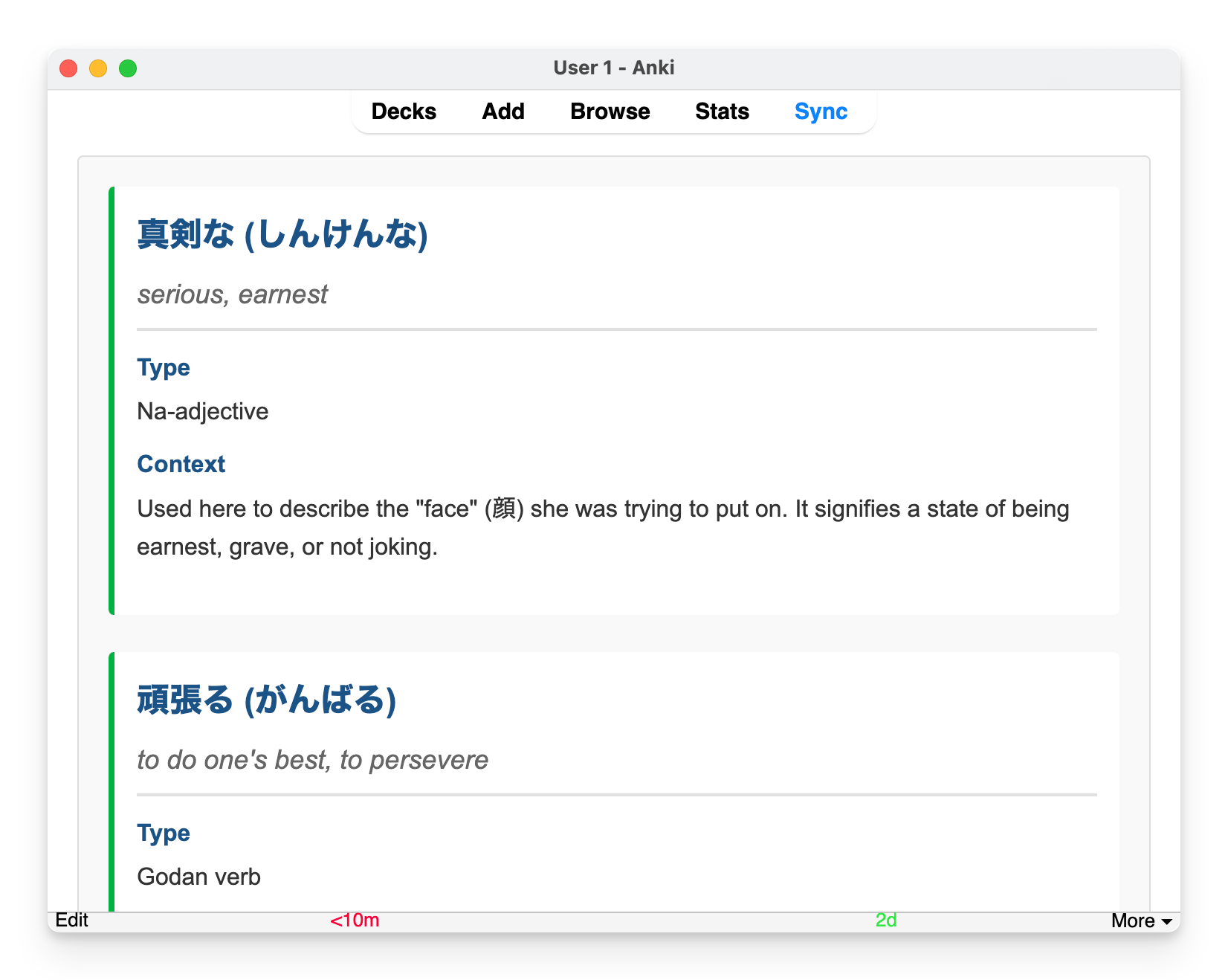
Assume the notes have Japanese, English, and Key Vocabulary fields. Add the
target field to the note type in Anki before starting.
Export the sentence notes
Section titled “Export the sentence notes”Open Anki and export the deck:
anki-llm export "Japanese Sentences" --output sentences.yamlFor a narrower job, export an Anki query instead. The
export reference covers deck, query, and note
type selection.
Start from the full prompt
Section titled “Start from the full prompt”Download or copy the runnable
Key Vocabulary prompt
and save it as prompt-key-vocab.md.
Its frontmatter declares the field and requires a tagged result:
---output: field: "Key Vocabulary" require_result_tag: true---The body asks the model to:
- select one to three useful words for an intermediate learner;
- use dictionary forms in headings and include readings;
- give part of speech, a concise meaning, and sentence-specific context;
- return semantic
<h3>and<dl class="vocab-entry">HTML; - put only the finished HTML inside
<result>tags.
Adapt the final placeholders if your note uses different source field names. See Write prompts for placeholder and result-tag rules.
Preview representative notes
Section titled “Preview representative notes”Check the filled prompt first:
anki-llm process-file sentences.yaml \ --output sentences-key-vocab.yaml \ --prompt prompt-key-vocab.md \ --dry-runThen inspect real model output:
anki-llm process-file sentences.yaml \ --output sentences-key-vocab.yaml \ --prompt prompt-key-vocab.md \ --model gemini-2.5-flash-lite \ --previewLook for vocabulary at the intended learner level, correct dictionary forms and readings, valid HTML, and explanations tied to the actual sentence rather than generic dictionary text.
Fill the field
Section titled “Fill the field”Process the complete export:
anki-llm process-file sentences.yaml \ --output sentences-key-vocab.yaml \ --prompt prompt-key-vocab.md \ --model gemini-2.5-flash-liteA processed field resembles:
Key Vocabulary: | <h3>控える (ひかえる)</h3> <dl class="vocab-entry"> <dt>Type</dt> <dd>Ichidan verb</dd> <dt>Meaning</dt> <dd>To refrain; to hold back</dd> <dt>Context</dt> <dd>Appears as 控えていて, expressing an ongoing act of restraint.</dd> </dl>The output file retains every original field and saves completed rows incrementally. See Process a file for resume and force behavior.
Review and import
Section titled “Review and import”Inspect the HTML in the output file and render several notes if your card CSS has special rules for headings or definition lists. Then open Anki and import:
anki-llm import sentences-key-vocab.yaml --deck "Japanese Sentences"If you prefer direct updates, the same prompt works with
process-deck. Start with a narrow query and model-backed
preview, especially when the target field already contains hand-written notes.